Showing posts with label Technology. Show all posts

Tuesday, 18 November 2014

The New Smartboard is Here!

I have been using a Smartboard with my students since September 2006.  Our first model was one on wheels that we rolled from room to room in the Elementary School and took turns using it.  It was exciting technology!
Within a few years, we had wall mounted versions in each classroom and they moved with us when we moved to the new Reston School in 2011.

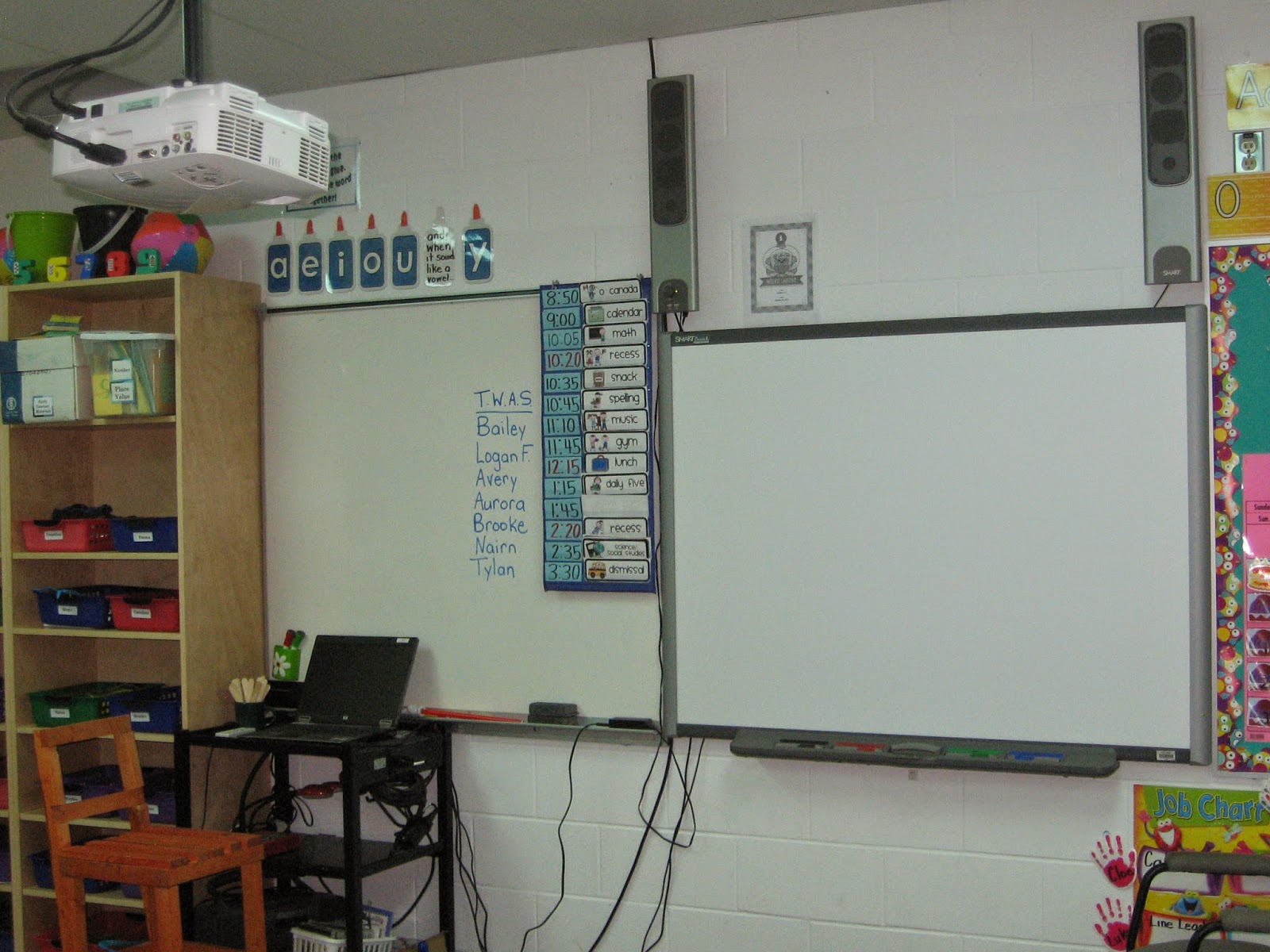
Above is the last picture of the  Smartboard we have been using in Room 21 until now. It required a projector , pictured below that shone the image from the laptop onto the Smartboard.

As with any technology, upgrades are always being made and we decided it was time to start replacing the Smartboards.  Our room was chosen to be the first in the division to get a Smartboard 6065 interactive flat panel!


The maintenance department had to take down the bulletin board and move it over to make room as it is longer than the old one was.  They were finished installing it by lunchtime and now we need to wait for Nick, our tech, to hook it up.


The new Smartboard doesn't have a projector because it is more like a big screen TV with touch capability.  It has dual touch ability along with shadow-free and optimal viewing from any angle.  I am sure it will be a whole new learning curve but one we are excited to take on!

Thursday, 25 September 2014

Limitations of Blogger

I have enjoyed sharing our classroom with the readers but I am also aware that some of the content, like videos, can sometimes not be viewable by some mobile devices like iPhones or tablets. There may be web browsers other than Safari that will play video, but I'm not entirely sure about that.  Sometimes there is also an issue with bandwidth or signal strength that don't allow large blog posts to come to your screen.
We love to have comments on our blog but again, I have heard that mobile devices look like the comment posts but it never shows up on the blog.  I am sent an email notification when a comment is made but it seems to need to be from a desktop or laptop computer.  If this is a problem for you, you are more than welcome to use our classroom computers before or after school or at a recess any time!  Your child can set you up with their headphones and show you the blog to see the parts you are missing.
No technology will ever be the perfect solution but I like the way this blog keeps families aware of what we are doing to reinforce that learning at home.

Daily Five in Grade 2 and 3

Parents: Have heard about the “Daily Five”? We have been working with all parts of the Daily Five for a week or so now. They are Read to Self , Read to Someone, Listen to Reading, Work on Writing and Word Work . The Daily Five is a popular Early Years Literacy Block method that allows the teacher to work with individuals or small groups while the rest of the class works independently on activities that will improve their skills as well. You can read more from the teachers who started Daily Five here.

 Currently we use Raz Kids on the IPads and computers for Listen to Reading but we will also be using TAG pens, MP3 players, and Kindles at this station later in the year. Word Work is a place to the spelling words, right now  all the words start with 'qu". The Work on Writing Station is a journal where they can write about things they do or make up stories.  The Read to Someone station had an exciting addition yesterday, reading text messages on Cell Phone Sliders!


Students choose which station to visit first but we make sure they have been to all five before doing one twice. The board pictured above in our classroom helps keep track, especially when we don't get all five finished in one day and need to carry some over to the next day.


Ask your child about their favourite Daily Five!


Monday, 15 September 2014

Dot Day and Augmented Reality!


On September 15, we took part in an international celebration of Dot Day!  We started on last Friday with colouring the dots in our own creative way with markers and Ms. Simms gave us a few hints about something that was going to amaze us on Monday.  We tried to guess what it might be:
  • the room might be all covered with dots
  • with Ipads maybe we can take a picture of the dots
  • maybe we will watch a movie about dots
  • maybe it will be stop motion animation with dots
  • maybe ????


Then she read us the book The Dot by Peter Reynolds.  You can see it on the YouTube Video below.


What came next was truly amazing!  We used our IPads and an app called Colar to make the dots we drew come alive!  It is a form of Augmented Reality and the video below shows what it looked like.

Wednesday, 30 April 2014

Storybird

Have you heard about the new website we have been using called Storybird?  We use it during Daily Five time, our part of the day where we work on Reading and Writing.  We use this website during the "Work on Writing" part of the Daily Five.

Storybird lets you use their pictures to write a story that goes with it.  The red wavy underline under a word will tell you that you have made a spelling mistake and it will give you some choices of how it should be spelled instead.  You still need to read over your work carefully though because it won't tell you if you are missing words or punctuation or it won't be any help with homonym mistakes or names.
 
Everyone has their own account on Storybird but they can also see stories created by their classmates.  There is a way to see stories from other people as well but we haven't used that part of the site yet.
Once the spelling and other errors are fixed, we will publish our work on the site.  We hope you will try Storybird too!

Storyline Online

Another favourite part of our Daily Five time is when you have the chance to Listen to Reading.  Other times during the year we have used the mp3 players or even the cassette tapes and books that our teacher has from the '90's!  Right now though, when we choose to Listen to Reading, we go to Storyline Online on a desktop computer or a laptop.

We each have our own set of headphones that we can adjust the volume on to make it easy to hear whatever story we choose.

Storyline Online lets you choose to listen to a story read aloud by a famous actor or actress.  They also show you the pictures as you read.  They have 26 books online currently. 

From their website:
Reading to children has been repeatedly shown to improve their reading, writing and communication skills, logical thinking, concentration and general academic aptitude… as well as inspire a love of reading. The Screen Actors Guild Foundation records well-known actors reading children’s books and makes graphically dynamic videos so that children around the world can be read to with just the click of a Storyline Online video book image.
Many teachers play SAG Foundation’s Storyline Online videos for their students. Doctors and nurses play Storyline Online videos for children in hospitals. And parents and children around the world watch Storyline Online videos millions of times every month.

You should try it yourself!

Thursday, 24 April 2014

Egyptian Ghosts!

The Grade Two and Threes continue to practice cursive writing and because we are studying Ancient Egypt, those are the words they used this week.


We have not tried adding a video to the blog yet, so here goes! We hope it works for you to see the Egyptian Ghosts writing on our Smartboard!


Actually, there were no ghosts in our room.  There is a feature on Smart Notebook called Page Recording.  We can use it to record something being written and then play it back.  Using this fun feature helps us remember how cursive letters are connected and also helps practice reading words written in cursive.

Friday, 28 March 2014

Smartboard Calendar

Here is our March Smartboard calendar.  We do this activity first thing every morning and the helper of the day leads it.   See if you can answer the question under each picture!


Notice the colour pattern of the squares.  What colour will the 29th of March be?  We have been working lots on patterning this month.  We can figure out what something will be in a pattern just by thinking about numbers. 


How many days have we been at school in March?  How many left until 24 days?


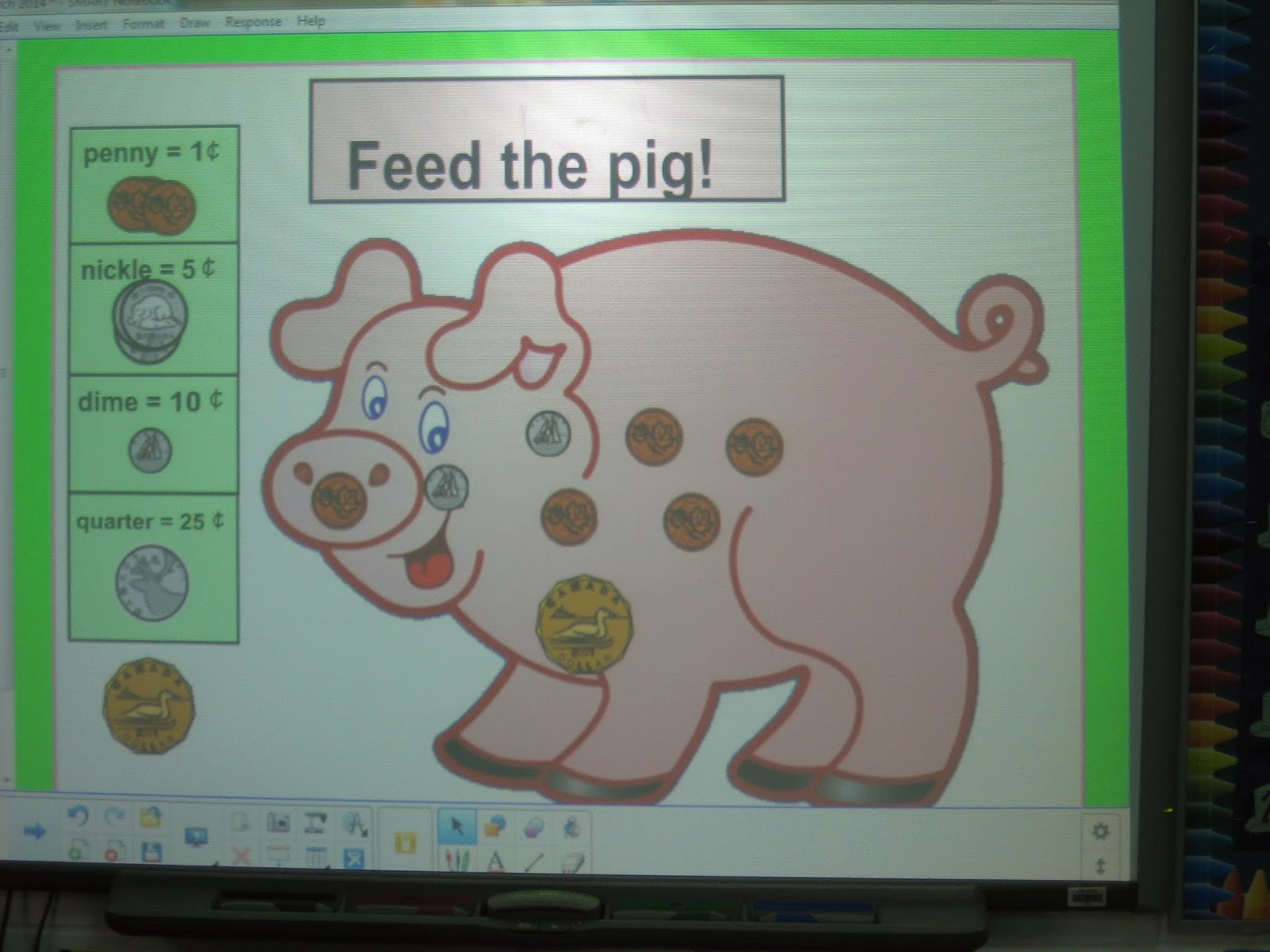
This was our 125th day of school so there is $1.25 in the piggy bank.  Can you make this amount with the fewest possible coins?


Were you right?


 This shows the number of days of school all year using Deines Blocks that show hundreds, tens, and ones.  How many days has it been since day 95? 


Next we create a line graph with the temperature outside each morning.  Do you see the coldest day in March on our graph?  How about the warmest day?


Here is the Environment Canada website for the temperature we have been using.  What is the temperature?


Now we have a weather station right on the roof of our school and here is that page.  How much different is this temperature from the one in Melita from Environment Canada?  Thank you to West Souris River Conservation District for the weather station and our tech department for getting us linked to it online.  There is a link to it from our school webpage.


This month, the helper has been deciding if the weather makes it a lion or lamb day.  Which has there been more of and how many more?


Here is the last slide of our calendar.  We list the students' names who are absent and write all 4 number facts for those numbers.  What facts would we write if five people are away?

Thank you for reading our blog!

Wednesday, 19 March 2014

Green Foods


 St. Patrick's Day was on Monday and besides wearing something green, the Grade 2 and 3 class were challenged to bring something green for Nutrition Break that day.  The picture above shows the variety of things that were brought.  Many were from the Fruits and Vegetables Group and one was from the Milk Group - green coloured yogurt!  We were glad that no one had green Cereals or Meats Group food because they may have been rotten!

Ms. Simms had purchased a few other green fruits and vegetables for us to try.  If you have ever seen the show, America's Funniest Videos, you know that the audience votes for their favorite videos using something that looks like a remote control.  We have something like that in our school that are called the Senteo Response System. 

This is a Senteo clicker and it allows each person to enter an individual answer and the results show up as a graph on the Smartboard.  Ms. Simms can use it like a test and she is able to know what answer each of us chose to a question.  

This time there was no right answer but the slides asked if we had ever tried each of the 7 items our teacher bought.  We found out that everyone had tried kiwi and no one had tried kale before.


Then we had a chance to try the foods.  Everyone was a good sport and at least took a taste of the cabbage, asparagus, snap peas, spinach, brussel sprouts, kiwi and kale. 

The pie chart above shows that more people did not like kale than did. The purple part of the pie chart stands for the "no" answers and the yellow part is "yes".


This one shows that 72% of the class liked asparagus and 28% did not.  The rest of the graphs are posted outside our classroom door.  Please come and have a look at them.  It was a fun and interesting was to practice reading and interpreting graphs and the best part was all the healthy food we ate!  Maybe some kids will be asking for kale for supper tonight.

Sunday, 9 March 2014

Math Class in Grade 2 and 3


Grade 2 and 3 Math Class is always first thing every morning.  We start each day with a Smartboard calendar that lets us work with numbers in many ways. The last calendar activity uses a random number generator to make up a question for us to solve.


The whiteboard in the photo above shows the addition question 69 + 47 in red marker. We worked on a few ways you might think about how to add those numbers or check if you are correct. Ms. Simms always goes back to the way she learned Math from Miss Henry in 1972 to stack the numbers but we have taught her some other ways that we think about it.
Then we had to work on 73 - 16. You can see our ideas for that in blue marker. Luckily, we always got 57 no matter how we looked at it!


Then we move into 3 groups for the rest of Math class.  One group works on Math games to practice their Math facts or other important skills.  Equazzle, on the right above, is a board game that challenges us to come closest to a certain number by adding and subtracting.


Another group does paper and pencil Math.  This person is working on problem solving.  Sometimes Ms. Simms works with this group on a new idea or practicing something we did earlier during Calendar Time.


The third group has some time at Technology.  One of our favorites to do is Live Mathletics or games on Shepherd Software.  The I Pads are also used sometimes by this group.

The hour of Math flies past and it is time for Nutrition Break and then recess!

Sunday, 2 March 2014

Literacy Center Ticket #3


We are continuing to practice our Reading and Writing every day in Literacy Stations.  The ticket in the photo above lets us keep track of the center we have finished and where we are working next.  Most days, we are able to do 3 Literacy Stations during our ELA time. 

 
On the laptops, we use Max Write or Max Show to write about a topic that interests us. We save the writing on memory sticks and can continue it next time we visit that station or start a new one.
 
We use a website called Wordle to type a list of words on any topic we choose. Then we click Randomize to have the program pick a font and style for the words. If you type the same word more than once, Wordle knows to make its size bigger. We can work on spelling and keyboarding skills at this station.
Grade 2 and 3's need to learn to write full sentences.  Our student teacher, Miss Caldwell, works with us at one of two Sentence Building Games.   


Ms. Simms went to a technology night in Brandon where she found out  about the Trailer feature on IMovie.  It is neat because the main work is done to create a movie.  We will take photos and videos with the IPad and then make them into a movie.  Stay tuned to our blog for the finished products!

 
We have Fill in Posters called All About Me and When I Grow Up. Our class was having some trouble with journals because many of us can't seem to find a topic to write about. Ms Simms hopes these posters will help with that problem.
.  
 
Reading to Yourself and Buddy Reading are stations on this ticket too. They are both important.  Many of us are ready to move onto reading chapter books now and choosing a book that interests us at our reading level is crucial.  Ms. Simms is working with students one at a time on this while everyone is busy at centers.
We hope you liked hearing about our Literacy Centers!  Which do you think you would like the best?  Tell us in the comments!